

Each player’s journey at Casinoly Casino commences with a seamless login, but periodic hurdles like forgotten passwords or confirmation delays can interrupt access. Grasping troubleshooting conserves time and lessens frustration. This article describes the account access cycle for Casinoly players in Austria, from sign-up and document checking to password recovery, two-factor authentication, and technical resolutions. Armed with step-by-step knowledge, users can fix most issues without assistance. By identifying typical failure points, they return to gaming swiftly and safely, with personal data safeguarded.
Understanding the Casinoly Authentication and Sign-up Journey
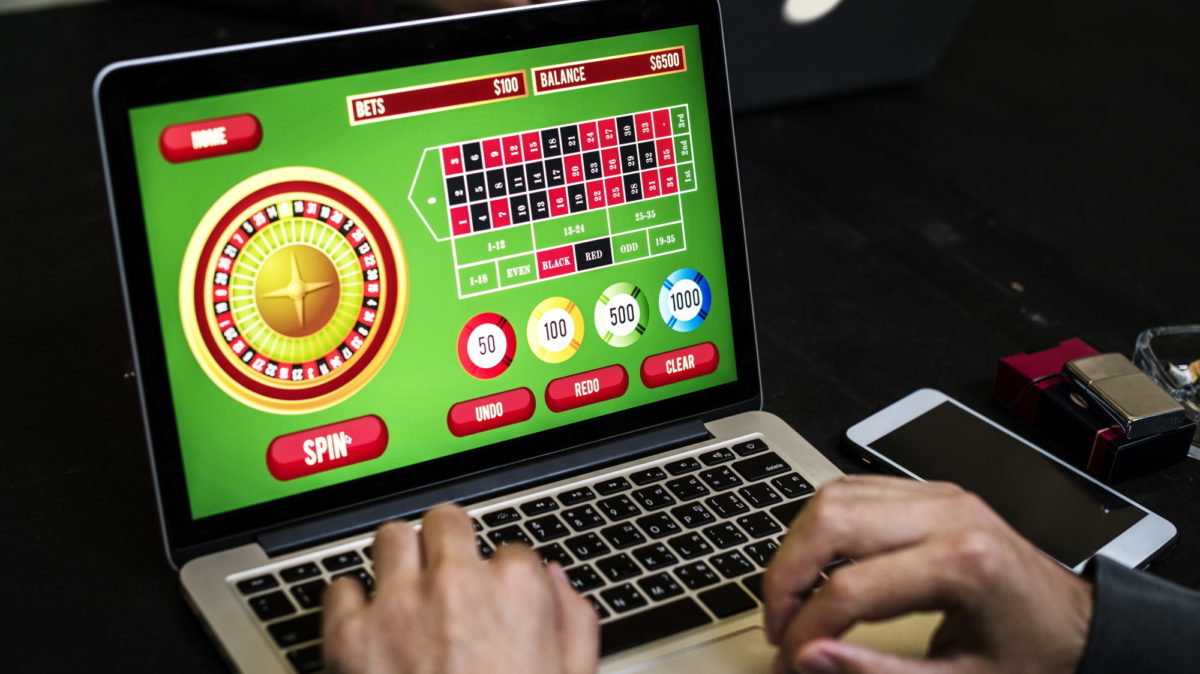
Before troubleshooting, understanding the typical login process aids. The process starts on Casinoly’s dedicated login page, where new visitors register and existing members provide credentials. In the background, the platform validates the username-password combination, evaluates device and IP reputation, and initiates additional security layers if suspicious activity is spotted. This comprehensive approach secures accounts from unauthorized access. Knowing this flow lets a player to identify exactly where a breakdown occurs—whether it’s a mistyped password, an incomplete profile, or a validation hold—so they can resolve it quickly.
Casinoly’s registration process adheres to Austrian and EU anti-money laundering directives, so the data gathered is mandatory. The platform asks for a valid email address, a safe password, full name, date of birth, residential address, and phone number. After submitting, an system-generated confirmation email is forwarded; selecting the link activates the account, but full deposits and gameplay remain blocked until Know Your Customer (KYC) verification is finished. A login try before email confirmation generates an error, a frequent early problem-solving situation. Identifying this sequence—mail confirmation first, then KYC—is key to detecting access problems quickly.
Account Recovery and Restoring Account Access
When a password is lost, Casinoly offers a self-service recovery link on the login page. Entering the registered email initiates a reset message with a time-limited link. Selecting it loads a protected page to set up a new password, which must meet strength rules and not be previously used. After creating, the player can sign in immediately. If the password reset email does not appear, look in spam folders and allowlist the casino’s sender domain. When ability to reach the registered email account is fully inaccessible, get in touch with customer support. After verifying identity—responding to security questions, providing ID, or verifying recent transactions—the team can change the email on file and recover access.
A lost username presents another obstacle. The welcome email usually includes it; looking through the inbox is the most rapid solution. If that email is removed, employ the ‘Forgot Username’ feature, if available, to deliver the username to the registered address. Otherwise, reach support after identity verification. During any recovery procedure, Casinoly tracks each request; several rapid-fire resets may cause a temporary security hold. A methodical, patient approach assists avoid additional delays.
Document Verification and KYC Requirements
After email validation, the following key step that influences login is KYC verification. Casinoly must verify identity, age, and address before enabling withdrawals and, often, before giving full lobby access. A player who has finalized registration but not KYC may still sign in, but deposits and cashouts remain blocked. In some cases, access itself can be temporarily restricted if the verification deadline expires or documents get rejected. Comprehending the documentation requirements helps players prevent unnecessary delays and expedites troubleshooting when access is limited.

The typical documents requested include a clear color copy of a official photo ID—passport, national identity card, or driver’s licence—displaying full name, date of birth, and photograph. A second document confirming residential address, such as a current utility bill, bank statement, or government-issued letter (issued within the last three months), must perfectly correspond to the registration details. Payment method verification may also be needed, like a picture of the credit card with the central digits hidden or an e-wallet screenshot. Fuzzy, trimmed, or outdated files are rejected, prompting an email alert. Until approval, login remains accompanied by a reminder, and full functionality stays on hold.
Verification typically takes 24–48 hours, longer during peak periods. For KYC login issues, players should first check their registered email for updates from the compliance department. Often, simply resubmitting a clearer document fixes the issue. Accepted file formats are JPEG, PNG, or PDF, within size limits. After standard login, the verification status can be viewed in account settings. Addressing a KYC block therefore involves checking document status, answering requests without delay, and confirming no inconsistency exists between the registered profile and the provided paperwork.
Typical Login Problems and Their Quick Fixes
Despite having a fully verified account, login errors can still occur. The most common issue is an incorrect password. Casinoly’s login is case-sensitive, so a single mistyped character gives an “Wrong credentials” message. Before jumping to a serious problem, players should check that Caps Lock is off and the correct keyboard language is active. If the browser auto-fills an outdated password, clearing saved credentials and typing manually often fixes it. After several failed attempts, the system freezes the account for 15–30 minutes as defense against brute-force attacks; delaying and then retrying or resetting the password resolves the lockout.
- Forgotten username or email: Look the inbox for the welcome email, which contains the username. If registered via social login, employ that method—manual email and password will not work.
- Internet browser or device issues: Remove cache and cookies, restart the browser, or try an incognito window. Temporarily disable ad-blockers and script blockers. Make sure the browser is up-to-date (Chrome, Firefox, Safari, Edge) and that JavaScript is enabled.
- Account block after multiple failures: Wait the cooling-off period of 15–30 minutes, then log in again or use the password reset function.
Complete Account Creation at Casinoly
Signing up at Casinoly is easy, but small mistakes during registration can cause later login issues. The sign-up form is divided into logical sections, and players must provide accurate information corresponding to their official ID documents. Any discrepancy, even a minor typo in the date of birth or a name mismatch, may stop verification or even restrict access. Thus, the first troubleshooting tip is to verify every entry before submitting. The system enforces password strength rules—uppercase, lowercase, numbers, and sometimes special characters—and refuses weak choices immediately.
Setting a Strong Password and Username
During registration, the player selects a unique username (4–20 characters, no offensive terms) and a password satisfying complexity rules: at least 8 characters with a capital letter and a number. A strength meter helps the choice; avoid easily guessed details. Keep the password securely—a password manager is recommended. After submitting, the system dispatches a verification email with a time-limited link (usually 24–48 hours). If the email doesn’t arrive, check spam folders and then request a new link from the login page. Without email confirmation, the account stays pending, and any login attempt produces a prompt to verify the email address. This deliberate security step confirms ownership of the email address.
Two-Factor Authentication and Pokročilá bezpečnostní opatření
Casinoly offers volitelnou two-factor authentication (2FA) through an authenticator app or SMS, adding a one-time code requirement after the password. This prevents unauthorised access even if the password is compromised. However, ztrácení the device that generates codes is a common lockout scenario. During 2FA setup, the casino dodává backup recovery codes—one-time-use strings—které should be stored offline safely, for instance in a password manager or printed copy. Entering a backup code on the login page překoná the 2FA requirement and umožňuje the player to regain access and reconfigure authentication.
If backup codes are also lost, support musí verify identity rigorously—often through a video call or a selfie with the ID—to disable 2FA. This recovery can take hours to a couple of business days. To prevent this, store backup codes in a password manager or a printed copy in a secure place. Time synchronisation issues on the authenticator app can cause code mismatches; setting the device clock to automatic network time usually fixes it. Casinoly’s 2FA implementation následuje industry standards, providing strong protection when managed carefully.
Beyond 2FA, Casinoly monitoruje login attempts for anomalies such as logins from new devices, unfamiliar locations, or VPN usage. When flagged, the system zasílá a verification email with a confirmation link. This is a security step, not an error. Travelling players or VPN users should anticipate such checks. If a login is blocked with a message instructing to check email, najděte that message and click the link. If absent, check spam. Understanding these proactive measures helps players distinguish between a genuine technical fault and a protective measure working as designed.
Resolving Technical Issues: Browser, Cache, and Connectivity
When account info are correct yet the login page declines to load or submit, the reason is often technical. A sluggish or unstable internet connection can expire the request; verify connectivity by opening other websites. Next, inspect the browser: built-up cache and cookies can corrupt the session state. Deleting them particularly for the Casinoly domain, reopening the browser, and logging in again often resolves the problem. Temporarily disabling browser extensions—ad blockers, script blockers, privacy add-ons—individually can pinpoint a conflicting extension interfering with the login form’s scripts.
An obsolete browser may also restrict access. Casinoly’s front-end requires modern web technologies; older browser versions may not display the login page correctly. Upgrade to the latest reliable release. On mobile devices, casino casinoly, make sure the operating system and browser app are up-to-date. Moving from mobile data to a steady Wi-Fi connection can rule out carrier filtering or IP reputation blocks. A weak mobile signal can cause partial page loads that stop the login button from working. If the issue remains, attempting a different device can verify whether the problem is device-specific.
DNS, firewall, or network restrictions can hinder access to casino login servers. Some open or workplace networks filter gambling-related domains, causing connection-refused errors. Trying a home connection or mobile hotspot confirms if the restriction is network-based. Provisionally reverting to default ISP DNS may solve domain resolution issues. Additionally, Casinoly’s login uses HTTPS; if the device’s system clock is considerably off, SSL certificate errors occur, preventing the secure connection. Making sure the date and time are set correctly is a easy but often overlooked fix that restores the secure login channel.
When to Contact Casinoly Customer Support
When self-help steps fail, contact Casinoly’s support team. Contact them if access to the registered email is lost, both 2FA device and backup codes are missing, or if there are signs the account is compromised. A message stating the account has been suspended or closed also requires support intervention, as only the compliance team can explain and resolve. When reaching out to support, provide the registered email address, username, and a detailed description of the issue, like any error messages, to accelerate diagnosis and avoid unnecessary back-and-forth.
Casinoly has live chat and email support. Live chat is reachable from the login page even before logging in, rendering it the fastest channel for urgent login issues. Agents verify identity using security questions or a photo of the player holding ID, then manually restore passwords, turn off 2FA, or modify the email on file. Email support is available but has longer response times. For time-sensitive access problems, live chat is the recommended option. Players should be aware of support operating hours, as 24/7 availability may vary.
If login issues remain across multiple devices and networks despite all troubleshooting, a server-side problem impacting the account may exist. Support can review account status, ensure there are no active restrictions, and escalate to the IT department. Including screenshots of error messages and a list of steps already taken accelerates resolution. Casinoly’s support team functions as the final safety net. By mixing self-help knowledge from this guide with professional assistance when needed, every player can preserve uninterrupted access and enjoy the gaming experience without unnecessary delays.


Comments